





ABOUT GEOMETRYNEONDASHRAINBOW
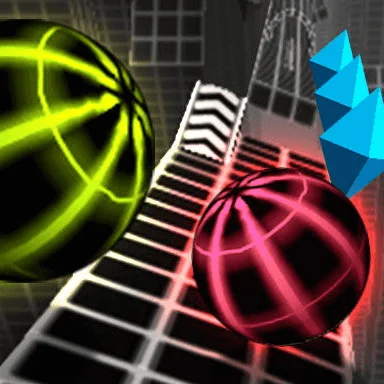
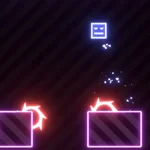
Geometryneondashrainbow centers on a straightforward task: guide an auto-running icon through neon spikes and timed obstacles.
The same jump must be timed against a changing rhythm course. Use brief presses in tight sections; save longer holds for clear space.
HOW TO PLAY GEOMETRYNEONDASHRAINBOW
How to Play
- Begin with the main task: guide an auto-running icon through neon spikes and timed obstacles.
- Use the controls to make your first move and pay attention to this rule: the same jump must be timed against a changing rhythm course.
- Tap just before the obstacle rather than holding through every gap.
- Use what the previous move revealed to choose a safer or more effective next action in Geometryneondashrainbow.
Tips & Tricks
- Tap just before the obstacle rather than holding through every gap.
- Use brief presses in tight sections; save longer holds for clear space.
- Learn exactly where the first difficult obstacle begins instead of pressing randomly on every run.
- Tap briefly for a short jump; holding too long can carry you into the next spike.
- For flying sections, use tiny holds and releases to keep the character between ceiling and floor.
CONTROLS
| Action | How to control |
|---|---|
| Jump / fly up | Space / left-click / tap |
| Release jump / fly down | Release during flying sections |
FREQUENTLY ASKED QUESTIONS
How do you play Geometryneondashrainbow?
You guide an auto-running icon through neon spikes and timed obstacles. The same jump must be timed against a changing rhythm course.
What should I focus on first in Geometryneondashrainbow?
Tap just before the obstacle rather than holding through every gap. That gives you a clear opening move.
Why is timing important in Geometryneondashrainbow?
The same jump must be timed against a changing rhythm course. Your timing or choices need to account for that behavior.
How can I beat a difficult section in Geometryneondashrainbow?
Use brief presses in tight sections; save longer holds for clear space.
What is a common mistake to avoid in Geometryneondashrainbow?
Watch where the next hazard is, not only where your character is now.
What are the controls for Geometryneondashrainbow?
For jump / rise / activate, use space or left-click on desktop or tap and hold as needed on mobile.
Can I play Geometryneondashrainbow for free online?
Yes. Start Geometryneondashrainbow for free here and work toward guide an auto-running icon through neon spikes and timed obstacles.