
ABOUT MINECRAFT 1.8
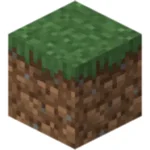
Minecraft 1.8 centers on a straightforward task: navigate a Minecraft-style block world and use blocks to build and explore.
Mining and inventory decisions shape what you can construct. Keep a clear route back to your starting point before exploring farther.
HOW TO PLAY MINECRAFT 1.8
How to Play
- Begin with the main task: navigate a Minecraft-style block world and use blocks to build and explore.
- Use the controls to make your first move and pay attention to this rule: mining and inventory decisions shape what you can construct.
- Prepare spare tools and light before exploring underground.
- Use what the previous move revealed to choose a safer or more effective next action in Minecraft 1.8.
Tips & Tricks
- Prepare spare tools and light before exploring underground.
- Keep a clear route back to your starting point before exploring farther.
- Gather basic resources before expanding a structure that you cannot finish or defend.
- Keep the most important tools on an easy-to-reach hotbar slot.
- Use simple, repeatable building patterns to avoid wasting blocks on repairs.
CONTROLS
| Action | How to control |
|---|---|
| Move / jump | WASD / Space |
| Look around | Mouse |
| Mine / place | Mouse buttons |
| Open inventory | E |
FREQUENTLY ASKED QUESTIONS
How do you play Minecraft 1.8?
You navigate a Minecraft-style block world and use blocks to build and explore. Mining and inventory decisions shape what you can construct.
What should I focus on first in Minecraft 1.8?
Prepare spare tools and light before exploring underground. That gives you a clear opening move.
What makes Minecraft 1.8 challenging?
Mining and inventory decisions shape what you can construct. Your timing or choices need to account for that behavior.
What is a good strategy for Minecraft 1.8?
Keep a clear route back to your starting point before exploring farther.
What is a common mistake to avoid in Minecraft 1.8?
Gather building resources in a compact area before attempting a large structure.
What are the controls for Minecraft 1.8?
For move / look, use wasd / mouse on desktop or touch joystick / swipe to look on mobile.
Can I play Minecraft 1.8 for free online?
Yes. Start Minecraft 1.8 for free here and work toward navigate a Minecraft-style block world and use blocks to build and explore.